sklar.app / shifts
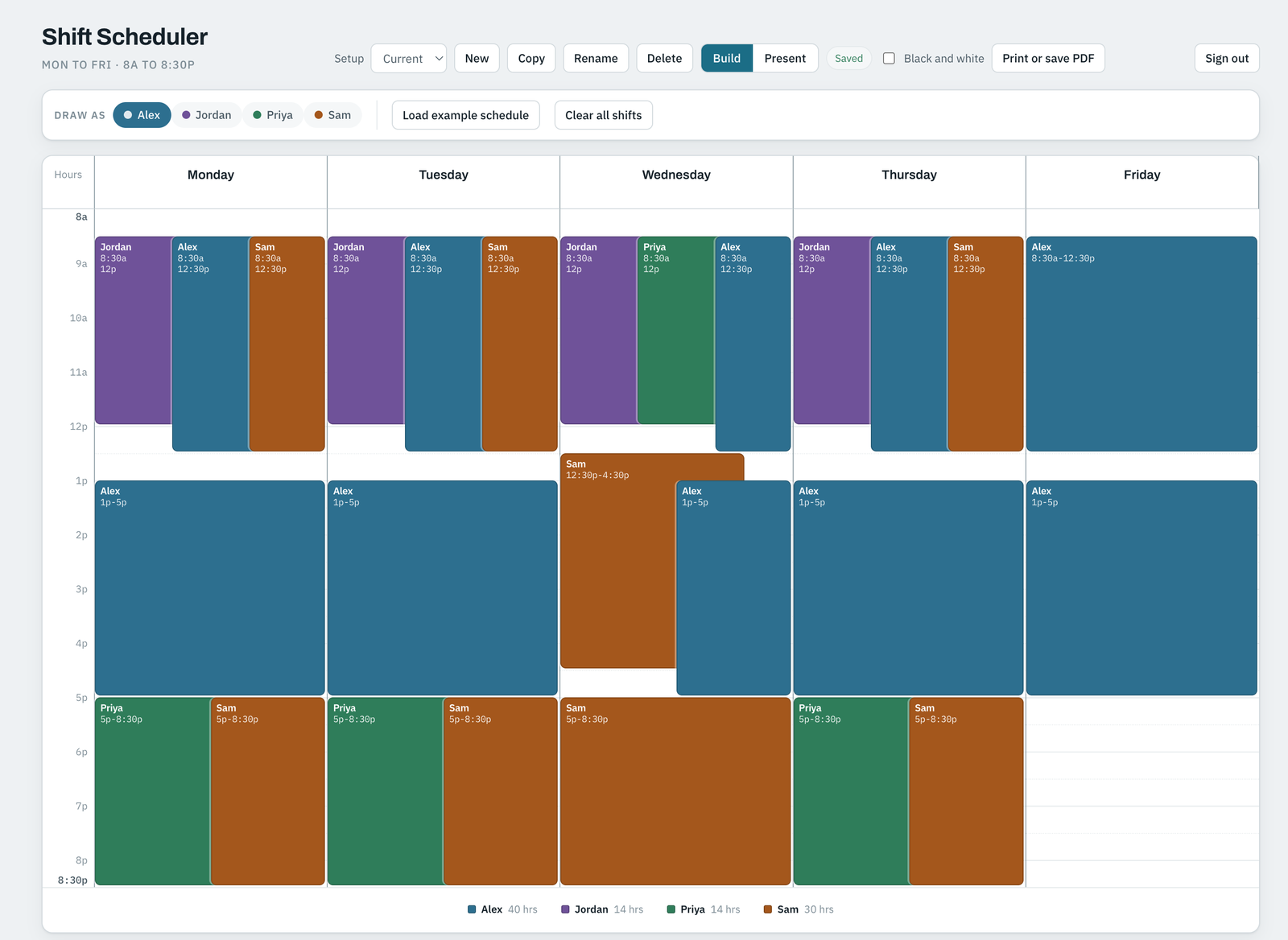
Weekly work schedules in the browser. Sign in with Google, drag shifts onto a grid, see how many people are on at every quarter hour, and print the week on one page.
Free · Nothing to install · Best on a laptop or desktop (it's a lot of dragging)
Drag down a day's column to add a shift. Drag the block to move it, drag an edge to stretch it. Everything snaps to 15 minutes. A split shift is just two blocks on the same day.
A rail down each day counts heads every 15 minutes, so the 2:45 gap shows up before somebody's alone at the front desk.
It tells you when you're under your minimum on site, when nobody's there at open or close, when someone's over their weekly hour cap, and when someone's double booked.
Type Priya works Mon, Tue, Thu 5:00 - 8:30 pm and it builds the shifts. Edits work the same way: Jordan is off, or change John's hours to 3:30 to 8:30 pm.
Keep several setups (Current, Proposed, Adding John) and flip between them. Copy one, change it, compare.
Landscape, one page, in colour or black and white, however long your day is. Save it as a PDF, or grab the plain text version for an email.
Also: weekly hours per person under the grid, shaded bands for things like group hours or lunch rush, a note under each day, and a present view for putting it on a screen at a staff meeting.
A clinic front desk. A coffee shop. A church office, a volunteer roster, a group home. Anywhere you're juggling five to 40 people across a week and the spreadsheet is up to 14 tabs and a colour key only you understand.
I built it to staff an outpatient program at my day job, got tired of it only living there, and opened it up to anyone with a Google account.
Google sign-in is used for one thing: your email address, which names your workspace. The app stores that and the schedules you enter, in Google Cloud, and that's it. Each workspace is private to the person who signed in. Nothing is shared, sold, or used for ads. Every save is kept on the server, so if you wipe out a week by accident, I can bring it back.
For that, or to have your workspace deleted, email sandy@sklar.app. Full privacy policy.
Shift Scheduler is free and stays free. If it saved you a Sunday night with a spreadsheet, buy me a coffee ☕